
Product
See which customers need action, the evidence behind it, and the verified fix.
These are screens from the running product. Most show the demo workspace, with sample customers and illustrative vendor changes. The captions say which ones come from Advina Labs' own Microsoft test tenant.
Overview
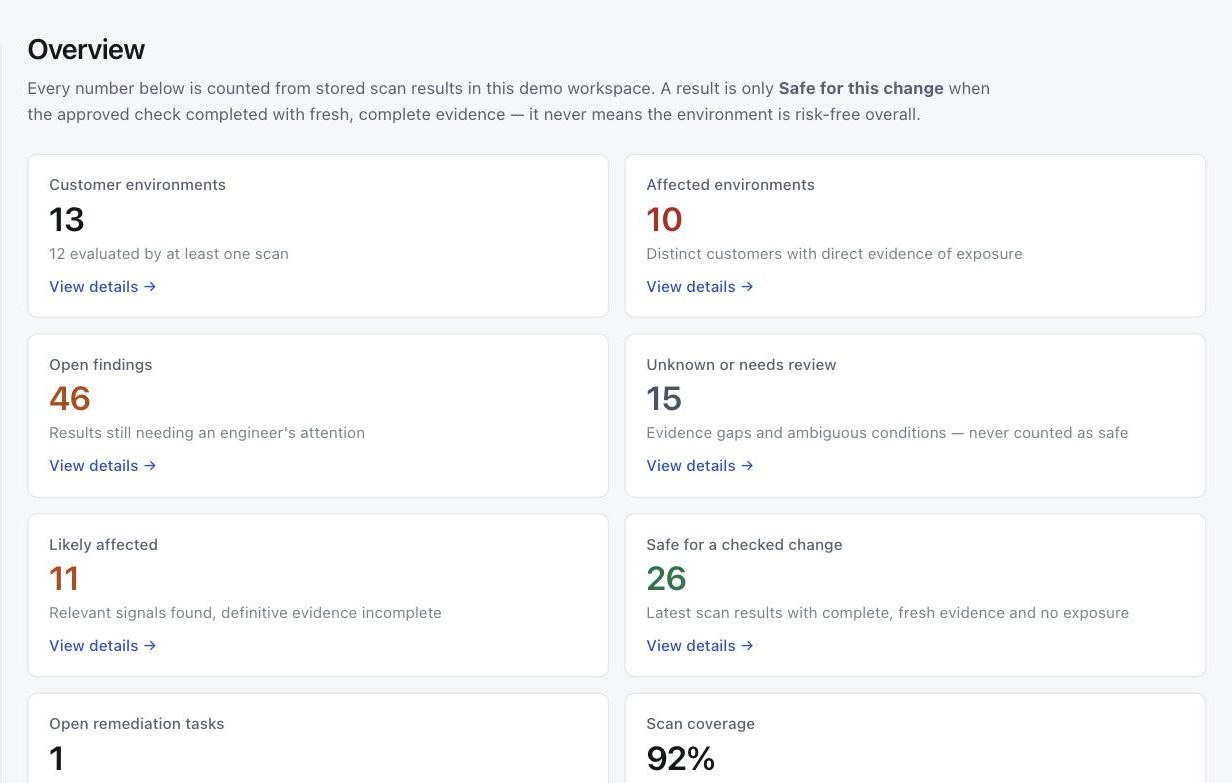
See which customers need action and which scans need attention.
Customers with direct evidence of exposure, results that need an engineer's review, and results whose evidence was incomplete, all counted from stored scan results. Safe for this change means the approved check completed with fresh, complete evidence. It never means the environment is risk-free overall.

Vendor changes
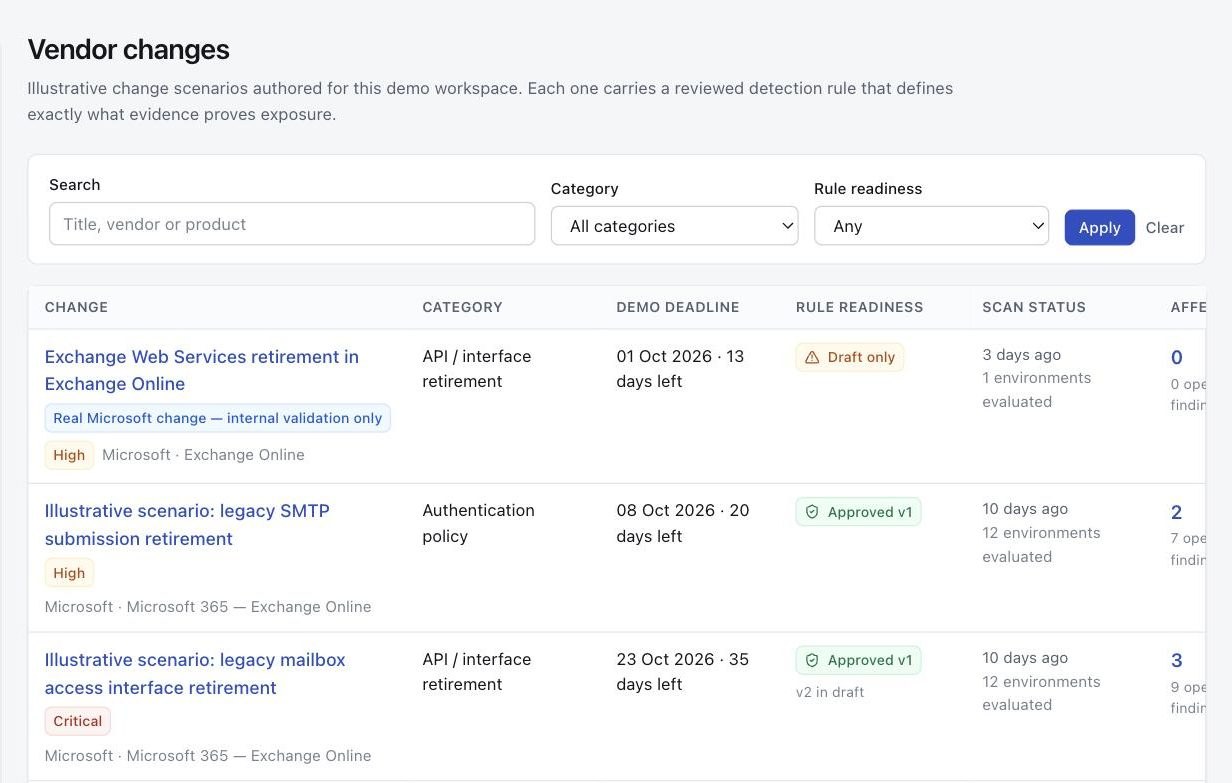
Each vendor change carries the rule that checks it.
An operator approves the exact rule version before it can scan customers. Until then, the rule can run only against a test environment. Technically, approval is bound to the SHA-256 hash of the rule definition and a named reviewer, and recorded in the audit trail. Withdrawing approval stops customer scans.

Customer by customer
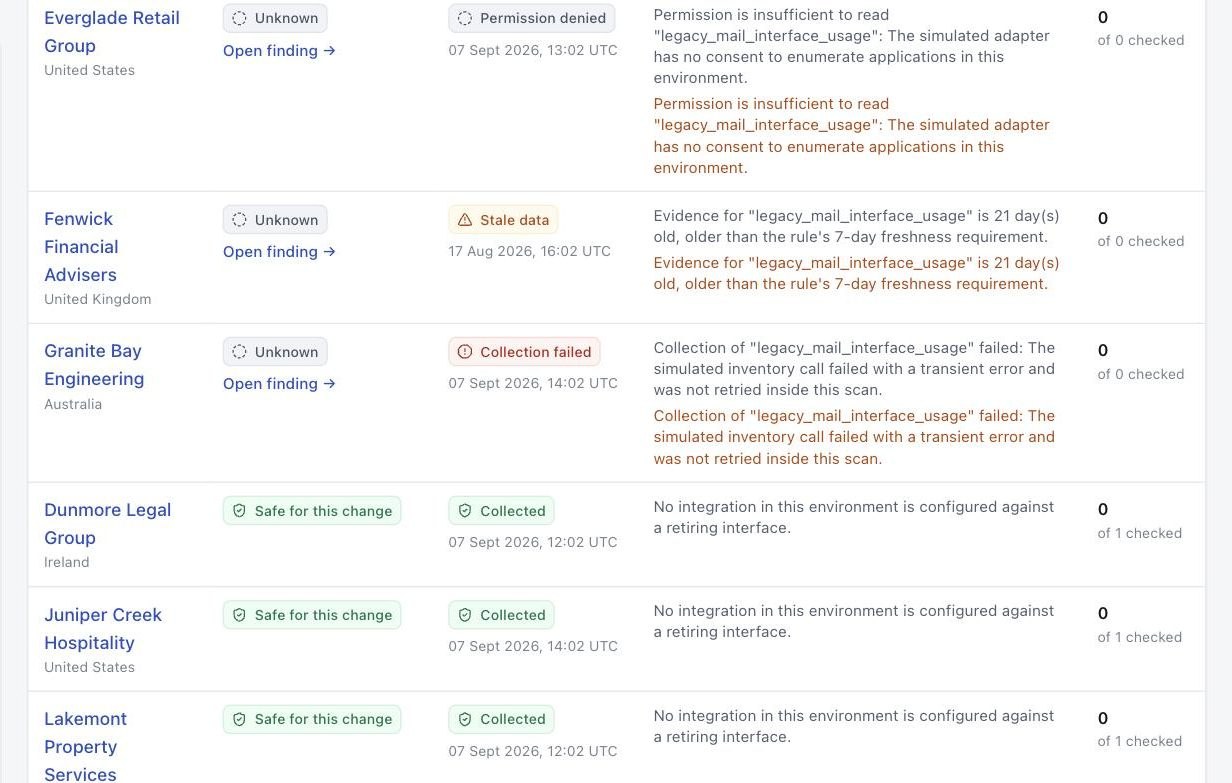
Permission denied, stale data and collection failures remain visible.
For one change, every customer in one table. Where the evidence ran out, the result is Unknown and the reason is shown beside it. None of these results is counted as safe.

Findings
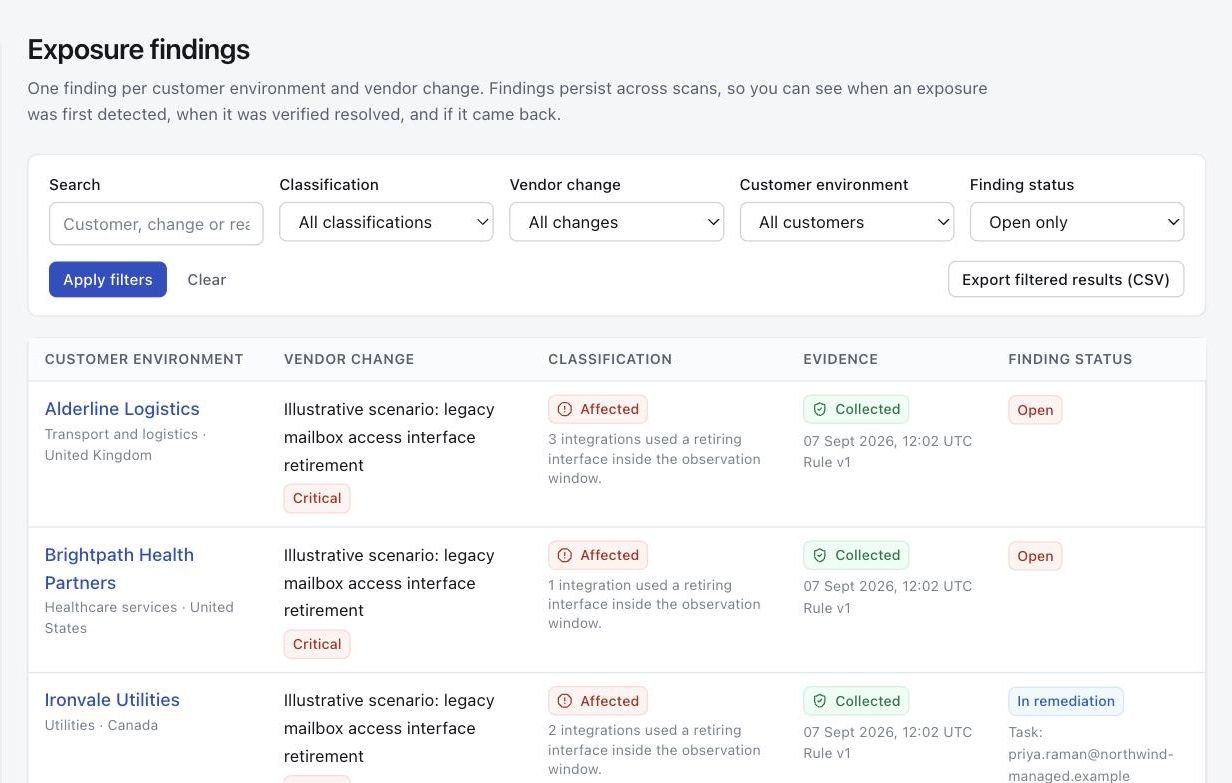
One finding per customer, per change.
Findings persist across scans, so you can see when an exposure was first detected, when it was verified resolved, and whether it came back. Filter by classification, change, customer or status, and export the filtered set as CSV.

A finding
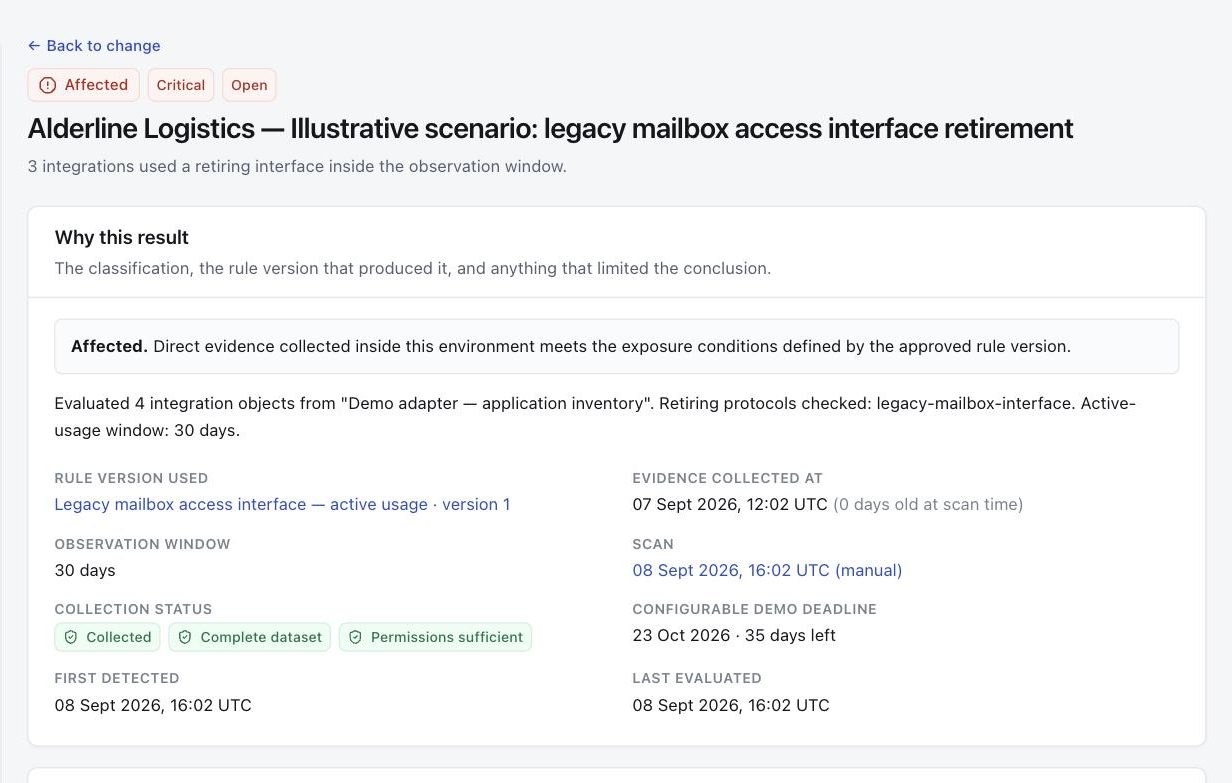
See the evidence behind each finding.
The classification, the rule version that produced it, when the evidence was collected, and whether collection was complete. Below it, each evidence row with its source and the fields the rule evaluated, plus the limits of what was read.

Remediation
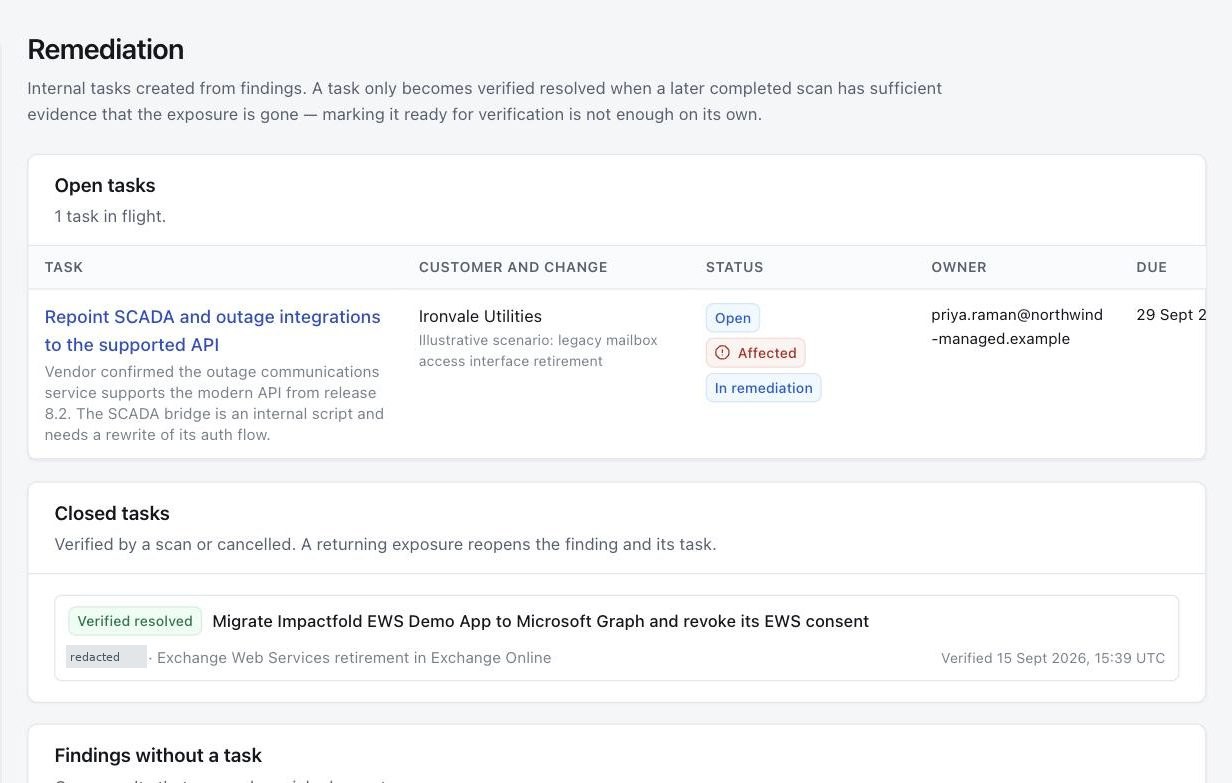
A task closes only when a later scan verifies the fix.
Create a task from a finding, assign it to an engineer and set a due date. Marking it ready for verification is not enough. The task and the finding close together when a later complete scan has sufficient evidence that the exposure is gone. If the exposure returns, both reopen.

Against a real tenant
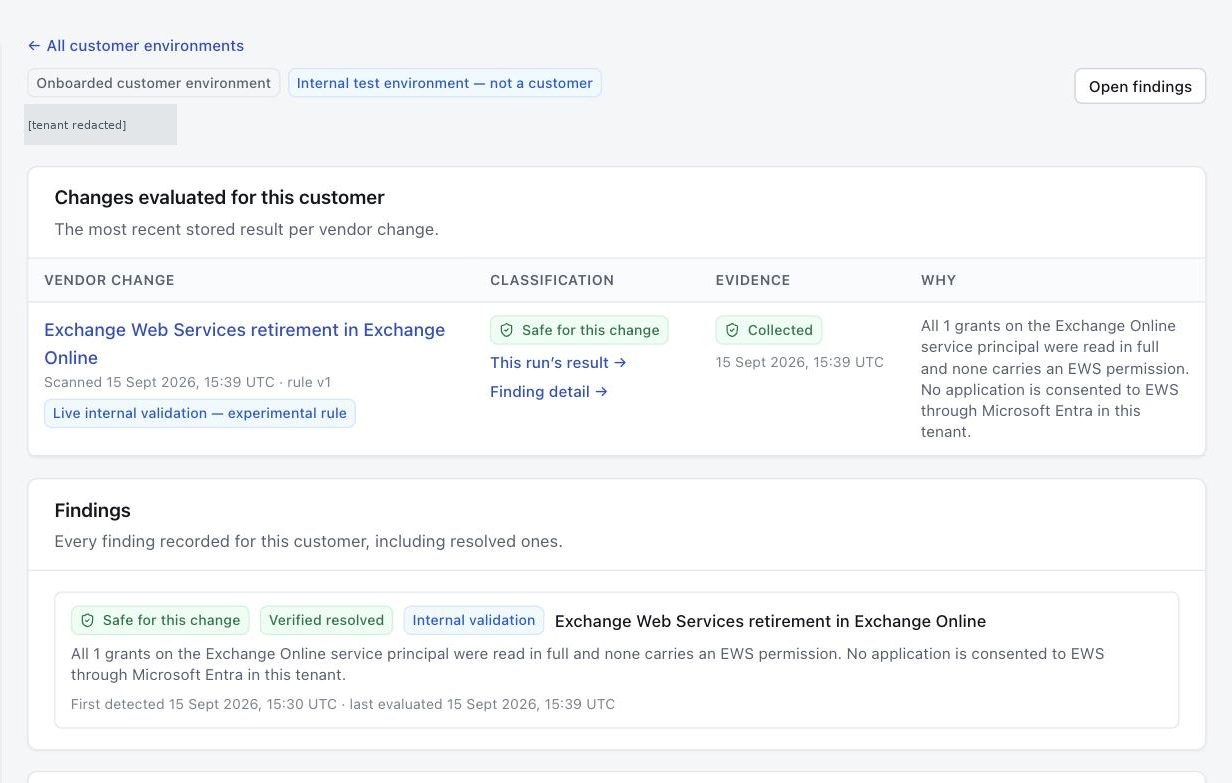
Live validation is labeled as such.
Advina Labs' own test tenant is connected to real Microsoft Entra and scanned through the same collector a customer tenant would be. Its results are kept out of portfolio totals and marked as internal validation, so a demonstration cannot be mistaken for a customer result.

Audit history
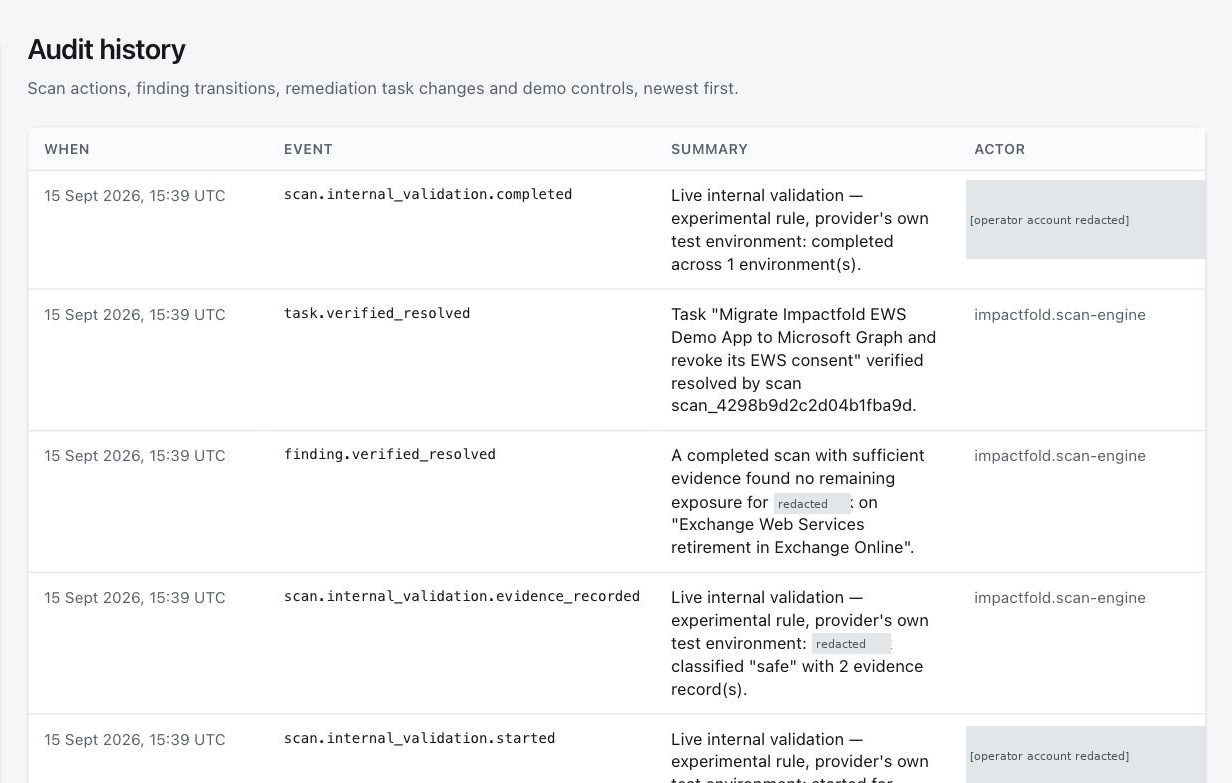
Keep each scan, finding and verified closure in one customer history.
Scans, finding transitions, task changes and approvals, newest first, each with the actor that caused it. Closures made by the scan engine are attributed to impactfold.scan-engine, never to a person. Entries cannot be edited.

By design
What the product will not do.
- Change a customer environment
- Impactfold reads; it never writes. The finding names the change, and your engineer makes it under their own access.
- Claim more than the evidence shows
- Each result states what its rule read and what it could not observe. For example, the EWS check sees consent in Microsoft Entra but cannot see whether an application still calls EWS, and says so.
- Treat incomplete evidence as clean
- An incomplete read is classified Unknown, with the reason. An interrupted run records no result at all. Neither can report Safe or close a finding.
- Close a finding by hand
- No control resolves a finding. Only a later complete scan can.
How it is delivered
For the pilot.
- Coverage
- Microsoft 365 in Microsoft's global cloud. National clouds (GCC High, DoD, 21Vianet) are not supported.
- Deployment
- A separate deployment for each provider: one container and its database. Not a shared multi-tenant service.
- Sign-in
- Your Microsoft work account.
- Scans
- Started by an operator. Scheduled scanning is not available.
See how a change becomes evidence, work and a verified closure.